
Support for Your HearWell™ Hearing Aids
Get the most out of your hearing experience. We're committed to helping you every step of the way.
Getting Started with HearWell™
Follow these simple steps to maximize your hearing experience from day one.
Unbox Your HearWell™
Open your package and find your hearing aids, portable charging case, multiple ear tip sizes, cleaning brush, and quick start guide.
Charge Fully Before First Use
Place your HearWell™ hearing aids in the charging case and charge for 2-3 hours until the LED turns solid green. This ensures optimal battery performance.
Find Your Perfect Fit
Try the included ear tips to find the size that fits comfortably and creates a gentle seal. Most people need different sizes for each ear.
Start at Low Volume
Insert your HearWell™ and start at a lower volume setting. Gradually increase until conversations sound natural. Your brain will adjust over 1-2 weeks.
Wear Consistently
For best results, wear your HearWell™ daily. Start with a few hours and increase gradually. Consistent use helps your brain adapt to clearer hearing.
Track Your Order
Enter your email to check the status of your HearWell™ order.
You'll receive a confirmation email with tracking details when your order ships.
Have Questions? Select Your Product
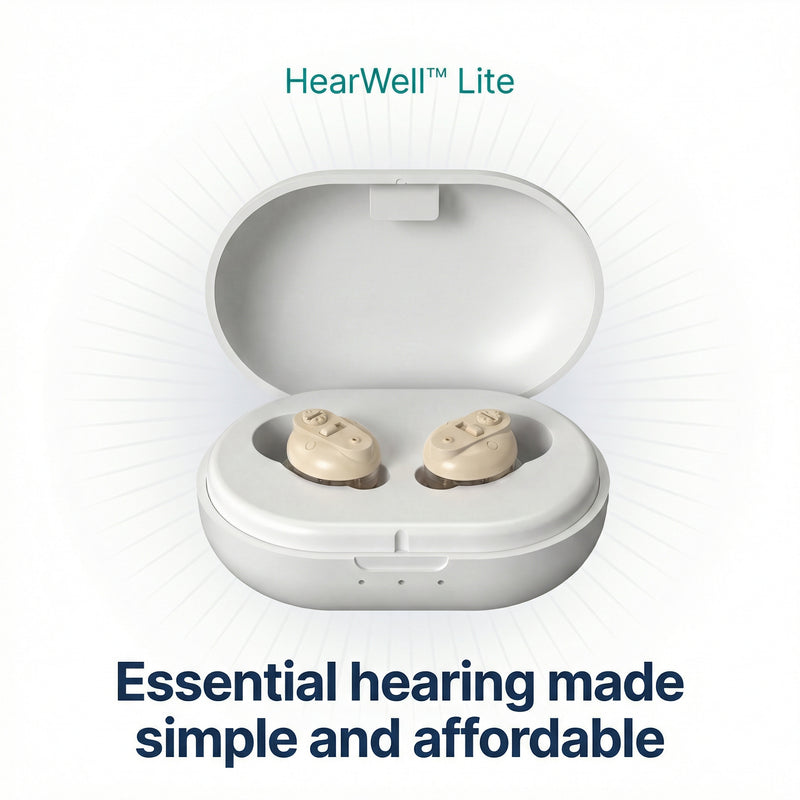
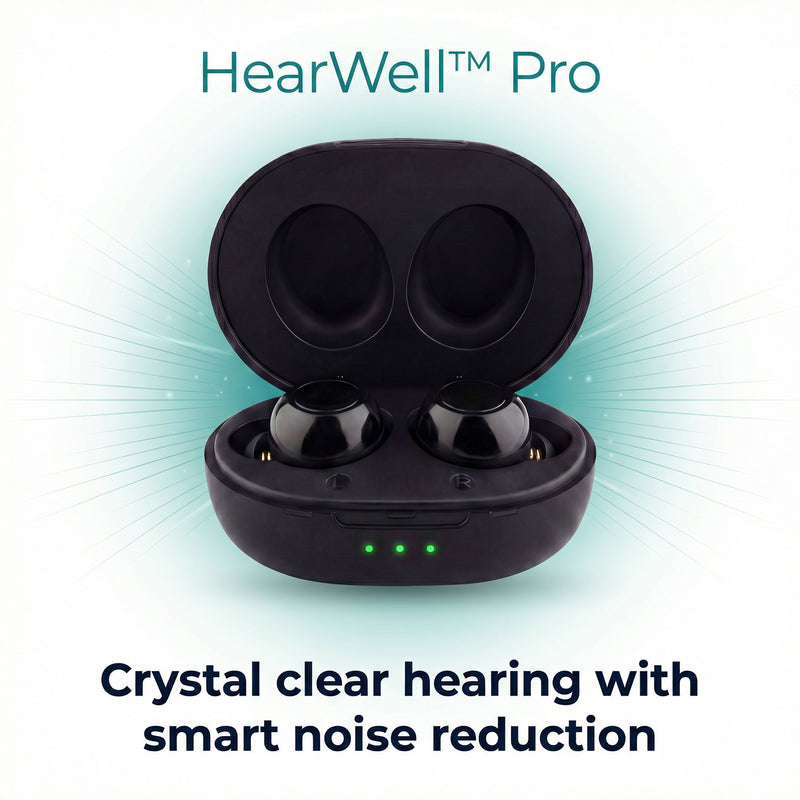
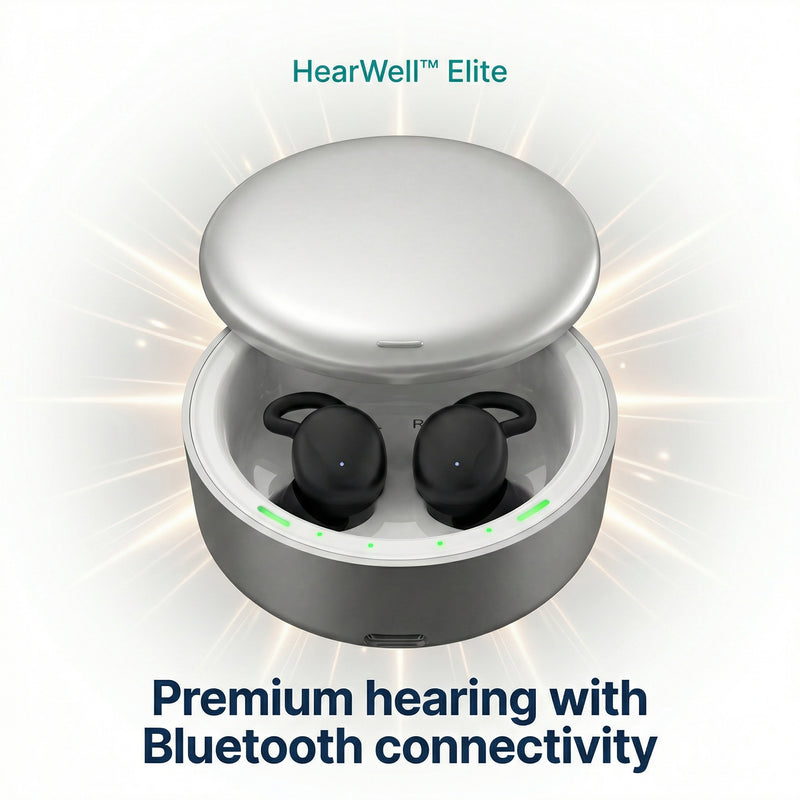
Choose your HearWell™ model below for specific troubleshooting tips and support.
Troubleshooting & Tips
Find quick solutions to common questions about your HearWell™ hearing aids.
The sound is too loud or too soft
Use the volume buttons on your HearWell™ to adjust. We recommend starting at a lower volume and gradually increasing until you find your comfortable level.
If at maximum volume the sound is still too soft, try:
- Cleaning the speaker openings
- Ensuring a proper ear tip fit
- Checking the battery is fully charged
I'm hearing feedback or whistling
Feedback usually occurs when sound escapes and re-enters the microphone. Try these solutions:
- Ensure the device is properly seated in your ear
- Try a different ear tip size for a better seal
- Reduce the volume slightly
- Clean any wax buildup from the device
Sound is distorted or unclear
Distorted sound can be caused by several factors:
- Low battery - ensure your device is fully charged
- Debris in speaker - gently clean with the provided brush
- Moisture - let the device dry in the charging case
- Volume too high - reduce volume to prevent distortion
My HearWell™ won't charge
If your device isn't charging:
- Ensure the charging contacts are clean on both the device and case
- Verify the charging case itself is charged (check the LED indicator)
- Make sure devices are properly seated in the case
- Try a different USB cable or power source
How long does the battery last?
On a full charge, your HearWell™ hearing aids last:
- HearWell™ Lite: Up to 16 hours
- HearWell™ Pro: Up to 20 hours
- HearWell™ Elite: Up to 24 hours
The portable charging case provides 3-4 additional full charges.
The charging case LED is flashing
LED indicator meanings:
- Solid green: Fully charged
- Blinking green: Charging in progress
- Solid red: Low battery
- Blinking red: Case needs charging
- No light: Case is depleted - charge immediately
The hearing aids don't fit comfortably
Finding the right fit is essential:
- Try all included ear tip sizes - most people need different sizes for each ear
- The device should sit snugly without causing pressure
- If no tips fit well, contact us for alternative options
- Give yourself 1-2 weeks to adjust to wearing hearing aids
My ears feel sore after wearing them
Some initial discomfort is normal as you adjust. To minimize soreness:
- Start with 2-3 hours daily and gradually increase wear time
- Try a smaller ear tip size
- Take breaks throughout the day
- Ensure you're inserting them correctly
If discomfort persists after 2 weeks, contact our support team.
How do I clean my HearWell™?
Daily cleaning ensures optimal performance:
- Wipe the device with a dry, soft cloth after each use
- Use the included brush to remove debris from speaker openings
- Never use water, alcohol, or cleaning solutions
- Store in the charging case when not in use
- Replace ear tips every 2-3 months or when worn
Can I wear them in the shower or while swimming?
No - HearWell™ hearing aids are water-resistant but not waterproof. Always remove them before:
- Showering or bathing
- Swimming or water activities
- Heavy rain exposure
If they get wet, dry them thoroughly with a soft cloth and leave them in the charging case overnight.
How often should I replace the ear tips?
We recommend replacing ear tips every 2-3 months, or sooner if you notice:
- Discoloration or yellowing
- Loss of flexibility
- Tears or cracks
- Difficulty getting a proper seal
Replacement tips are available in our store or by contacting support.
Still having trouble? Our support team is ready to help!
Contact SupportThe HearWell™ Promise
We stand behind every HearWell™ hearing aid with our industry-leading guarantees.
1-Year Warranty Included
Every HearWell™ is backed by our product warranty and NZ-based support.
Lifetime NZ Support
Our friendly New Zealand team is here for you. Today, tomorrow, and for as long as you own your HearWell™.
1-Year Warranty
Every HearWell™ is covered by our comprehensive warranty against defects and malfunctions.
Free NZ Shipping
Fast, free delivery anywhere in New Zealand. Please allow 2 to 3 weeks for delivery.